
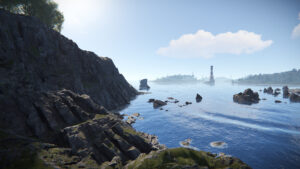
Advertised paymentUSD 19.87per 1 month
- RAM
- 10 GB
- Player slots
- Unknown
- Regions
- Unknown
A RAM-based option. Use a sourced sizing profile for your game and mods.
Mods · DDoS · NVMe

Physgun is most interesting when the organizer wants game-specific administration tools rather than a bare server process. Its Rust offering emphasizes live management and configuration, while the reviewed Team Fortress 2 product describes SourceMod, Workshop maps and SourceTV. Evaluate those workflows against the community you intend to run before deciding how much memory to buy.
By Gaming Server Scout editorial. Based on documented services, not a hands-on performance test. How we assess hosting
There is a concrete reason to investigate Physgun for a technically involved community: the product descriptions go beyond RAM and mention files, configuration, developer tooling and game-specific controls. That could matter to an administrator who regularly changes plugins or needs to manage players while a server is active.
The strongest caution is the mixture of fixed allocations, upper limits and marketing claims on the Rust page. A percentage-based CPU allowance is not a count of dedicated physical cores, and an advertised storage ceiling is not automatically the disk allocation of every package. This review interprets the published products; it does not validate the site's performance demonstrations or customer testimonials through our own server tests.
The reviewed Rust page offers a Starter level with 10 GB RAM and a Growing Community level with 14 GB. Their ordinary monthly amounts are USD 19.87 and USD 39.87. A smaller-priced Micro configuration also explicitly lists 10 GB, but belongs to a different hardware family. Equal RAM is therefore not enough to conclude that Micro and Starter provide the same service.
The Team Fortress 2 product has a more compact ladder: Scrap Metal, Refined Metal and Australium specify 2, 3 and 4 GB RAM respectively, each with a stated 40 GB NVMe allowance. Those named configurations are more useful comparison points than the page's separate custom-plan starting price.
A small TF2 group arranging private matches should establish the player count, maps and required plugins before selecting a configuration. If SourceTV, custom modes or a large collection of workshop content is part of the brief, include that requirement when asking about the selected tier. The provider's examples for match and community sizes are advice from the seller, not our independent player-capacity measurements.
For Rust, a few friends on a private world and a public wipe-cycle community create different administrative demands. Record the world size, expected peak attendance, plugins and persistence settings. An unlimited slot setting only means the product does not impose a simple per-slot charge; it does not promise that a 10 GB plan will sustain every population or map.
The Rust page advertises a RUST coupon for a 15% first-month reduction and separately shows the subsequent monthly amount. The comparison uses the ordinary named-plan payment where that optional coupon is not selected. An administrator using the code should still budget for the displayed continued payment rather than treating the discounted invoice as the permanent rate.
On TF2, the selected Refined Metal configuration identifies monthly billing and a dedicated-IP option charged separately. That option illustrates why the base plan amount is not necessarily the final invoice. Include extras only when the group actually needs them, and verify any tax or other required charges for the chosen order. No setup, tax or future renewal total is invented where the reviewed source does not establish it.
Rust Starter and Growing Community list the Ryzen 9 9950X family, while Micro uses a broader Xeon/Epyc description. Their CPU percentages describe a resource allowance in the provider's terminology; they do not establish physical-core exclusivity. Ask what the percentage means operationally, which limits can be observed in the panel and how contention is handled.
Some Rust descriptions use an upper storage limit, and the larger Turbo tier has inconsistent memory wording between its headline and specification detail. Turbo is left out of our comparison rather than choosing the more favorable number. A buyer considering it should obtain an exact allocation first. The finite 40 GB disk figure on the three reviewed TF2 cards is a different, clearer claim.
Physgun describes Rust God Tools with a live player map and administrative actions, plus a configuration editor and plugin-management interfaces. Its broader panel description also includes subusers and schedules. These functions could reduce the number of separate tools a community administrator needs to keep open.
That benefit depends on the actual workflow. Before moving a live server, check how permissions are separated between owners and moderators, which actions need a restart and how plugin configuration is backed up. A live-map interface is useful only if it fits the group's access rules; it is not evidence that the underlying simulation is faster than another host's.
The TF2 page explicitly describes a SourceMod server option, Workshop map setup, SourceTV and a choice between a 64-bit server and a 32-bit option for older plugins. Those are meaningful questions for an established community that already has a plugin collection and spectator workflow.
Inventory the required plugin versions and maps before selecting the server software. Test the community's actual configuration after migration instead of relying on a generic mod-support label. A 32-bit compatibility option may address a particular legacy dependency; it should not be selected automatically when the group's existing setup runs correctly on the current server build.
The reviewed Rust and Team Fortress 2 products identify Chicago and London. Select between those locations using where the group plays, rather than assuming that one region is appropriate for everyone. Current capacity and any relocation procedure still need confirmation for the exact plan. The advertised two-city choice does not establish an independently measured latency advantage.
The selected TF2 configuration includes a secure-backup allowance and the product lists backup access among its included features. Confirm retention, restore-point selection and downloadable copies before relying on it for an event. The Rust page mentions panel backup tools but does not make every restoration detail equally explicit. Keep your own world and configuration export regardless of which game is chosen.
Support links lead to tickets, documentation and community channels. The product advertises a three-day money-back guarantee, but a marketing label is not a complete cancellation or refund policy. Verify its applicability and the steps required before payment, especially if a trial migration is the reason for signing up. We have not tested support responsiveness or made a refund request.
Game Host Bros has retained Rust and TF2 offers to compare when a game-specific package is the priority. GTXGaming provides another retained option for Garry's Mod and several survival games. Use the same game, billing basis and workload when comparing; none of these catalog relationships establishes a performance winner.
Physgun is a reasonable shortlist candidate for an administrator who can make use of its game-specific control and developer tools. The deciding work is to confirm the exact allocation, plugin compatibility, recurring invoice and recovery process. If the choice depends on interpreting a CPU percentage as a physical-core guarantee or an upper limit as included storage, obtain clarification before treating those figures as equivalent resources.
22 hosting services · 66 offers
One card per provider and game. Choose a size and billing option; prices and terms apply to the selected offer.
A RAM-based option. Use a sourced sizing profile for your game and mods.
Mods · DDoS · NVMe
A RAM-based option. Use a sourced sizing profile for your game and mods.
Mods · Backups · DDoS · NVMe

A RAM-based option. Use a sourced sizing profile for your game and mods.
NVMe
No One Survived
No One Survived Walker 8 GB / 100% CPU, monthly
View game hostingA RAM-based option. Use a sourced sizing profile for your game and mods.
NVMe

A RAM-based option. Use a sourced sizing profile for your game and mods.
NVMe

A RAM-based option. Use a sourced sizing profile for your game and mods.
NVMe

Smalland: Survive the Wilds
Smalland Ladybug 6 GB / 100% CPU, monthly
View game hostingA RAM-based option. Use a sourced sizing profile for your game and mods.
NVMe

Left 4 Dead 2
Left 4 Dead 2 Jockey 2 GB / 100% CPU, monthly
View game hostingA RAM-based option. Use a sourced sizing profile for your game and mods.
NVMe
Counter-Strike: Source
Counter-Strike: Source cs_office 1 GB / 100% CPU, monthly
View game hostingA RAM-based option. Use a sourced sizing profile for your game and mods.
NVMe
Insurgency: Sandstorm
Insurgency: Sandstorm Rifleman 3 GB / 100% CPU, monthly
View game hostingA RAM-based option. Use a sourced sizing profile for your game and mods.
NVMe

VEIN
Physgun VEIN · Citizen Zombie: 6 GB RAM, 40 GB NVMe SSD, 100% CPU quota
View game hostingA RAM-based option. Use a sourced sizing profile for your game and mods.
NVMe
ASKA
Physgun ASKA · Wulfar: 4 GB RAM, 40 GB NVMe SSD, 100% CPU quota
View game hostingA RAM-based option. Use a sourced sizing profile for your game and mods.
NVMe

Aloft
Physgun Aloft · Sheep: 6 GB RAM, 40 GB NVMe SSD, 250% CPU quota
View game hostingA RAM-based option. Use a sourced sizing profile for your game and mods.
NVMe

The Isle
Physgun The Isle · Omniraptor: 6 GB RAM, 40 GB NVMe SSD, 150% CPU quota
View game hostingA RAM-based option. Use a sourced sizing profile for your game and mods.
NVMe
The Lord of the Rings: Return to Moria
Physgun The Lord of the Rings: Return to Moria · The Western Halls: 4 GB RAM, 40 GB NVMe SSD, 100% CPU quota
View game hostingA RAM-based option. Use a sourced sizing profile for your game and mods.
NVMe

RuneScape: Dragonwilds
Physgun RuneScape: Dragonwilds · Green Dragon: 4 GB RAM, 40 GB NVMe SSD, 100% CPU quota
View game hostingA RAM-based option. Use a sourced sizing profile for your game and mods.
NVMe
Empyrion - Galactic Survival
Physgun Empyrion - Galactic Survival · Hover Vessel · monthly
View game hostingA RAM-based option. Use a sourced sizing profile for your game and mods.
NVMe
A RAM-based option. Use a sourced sizing profile for your game and mods.
NVMe

A RAM-based option. Use a sourced sizing profile for your game and mods.
NVMe

A RAM-based option. Use a sourced sizing profile for your game and mods.
NVMe

A RAM-based option. Use a sourced sizing profile for your game and mods.
NVMe

A RAM-based option. Use a sourced sizing profile for your game and mods.
NVMe